AI Privacy and Security in 2026 – Is Your Content Safe?
A client once asked me to “just run this contract through ChatGPT real quick” to summarize it before a call. I almost did it without thinking. Then I remembered: that contract had names, deal terms, and language nobody outside two companies was supposed to see. Pasting it into a consumer AI account isn’t the same as emailing a colleague — depending on the settings, it can mean that text becomes part of a training pipeline you have no way to pull it back out of.
That moment is what AI privacy and security in 2026 actually comes down to — not whether a tool is useful, but who can see what you type into it.
Most people assume paying for an AI tool buys privacy along with the better model. It doesn’t, automatically. ChatGPT Plus and Claude Pro are still consumer accounts under the hood, and consumer accounts default to training on your conversations on most platforms unless you actively go find the setting and turn it off. The $20/month buys you a faster model and higher limits — not a contractual promise about what happens to what you type.
This covers what actually happens to your data on the major platforms right now, the settings worth changing today, and the one legal development from earlier this year that changes the stakes for anyone using AI for client or business work.
The Short Answer
Free and Plus/Pro consumer tiers on both ChatGPT and Claude can train on your conversations by default — the exact default has shifted more than once recently, so check your own settings rather than trusting what you read here or anywhere else. Business and Team tiers ($25-30/user/month) are different: training is contractually prohibited, not just toggled off in a settings menu. API access from either company doesn’t train on your data by default at any tier. And legal questions about whether consumer-tier AI conversations carry any confidentiality protection are actively being raised in 2026 — a real concern for anyone in law, accounting, healthcare, or any field where client confidentiality matters.
AI Privacy and Security in 2026 — What’s Actually True
The Settings That Matter, and Where to Find Them
On ChatGPT, the relevant toggle lives in Settings > Data Controls > “Improve the model for everyone.” Turning this off stops new conversations from training future models. Temporary Chat mode (the pill at the top of a new conversation) skips training entirely without you needing to remember the toggle, though it still gets retained for up to 30 days for safety monitoring. OpenAI’s own Data Controls FAQ lays out exactly what each toggle does and doesn’t cover, worth the five minutes it takes to read directly rather than relying on a summary, including this one.
On Claude, it’s Settings > Privacy Settings > the model improvement toggle. Anthropic changed its consumer terms in late 2025, and reporting since then has been inconsistent about exactly what the default became for users who didn’t actively respond to that change — which is itself the real lesson here. Anthropic’s privacy center documents the current mechanics directly, and it’s worth checking against rather than trusting secondhand summaries of a policy that’s shifted before. Don’t rely on what a default “should” be when it comes to managing your personal data. Open the setting and check it yourself, today, regardless of what you’ve read about which way it leans regarding data privacy.
- Incognito or temporary chat modes on both platforms skip training by default even without touching the main toggle — useful for a one-off sensitive conversation without changing your account-wide settings.
Why “Pro” Doesn’t Mean “Private”
This is the part that catches people off guard. ChatGPT Plus and Claude Pro sit in the same legal category as the free tier — consumer terms of service, not business contracts. The faster model and higher usage caps you’re paying for don’t come bundled with a data processing agreement. The underlying ai system doesn’t change category just because you’re paying for faster responses.
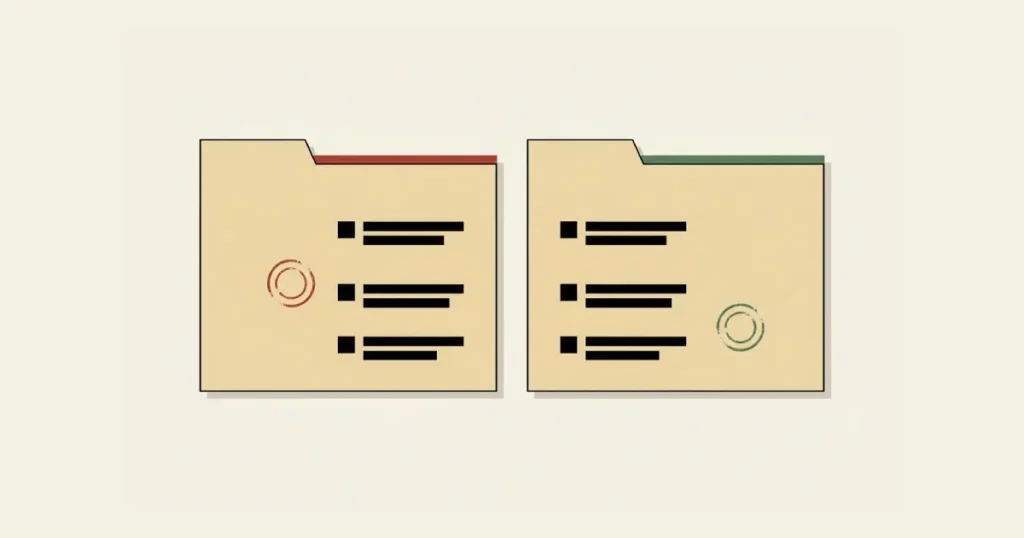
The tier that actually changes this is Business or Team — roughly $25 to $30 per user per month on either platform. At that tier, training on your content is prohibited by contract, not controlled by a toggle you might forget to check. If your employer reimburses your personal ChatGPT Plus or Claude Pro subscription for client work, that arrangement is quietly running on consumer terms regardless of who’s paying the bill.
API access is the other genuine exception. Neither OpenAI nor Anthropic trains on API traffic by default, at any usage tier, which is part of why developers building products on top of these models aren’t operating under the same exposure as someone typing directly into the consumer chat interface.
A Legal Development Worth Knowing About
Multiple legal commentators have flagged a developing concern in early 2026: whether AI assistant conversations carry any legal confidentiality protection at all. The reasoning circulating in legal analysis comes down to the providers' own policies — because consumer terms of service allow potential disclosure to authorities or use for model improvement, the argument goes that no reasonable expectation of confidentiality exists in the first place for consumer-tier conversations. This is exactly where privacy law and consumer AI terms of service collide directly, and it's why the question keeps surfacing in legal commentary rather than fading.
This is genuinely worth verifying with a qualified attorney rather than taking as settled from any single source, including this one — legal interpretations of AI confidentiality are actively evolving and contested as of this writing. What’s not contested: providers’ own terms of service for consumer tiers explicitly reserve the right to access and use conversation content in ways a privileged communication normally wouldn’t allow, raising significant privacy concerns. For lawyers, accountants, therapists, and anyone else bound by professional confidentiality obligations, that alone is reason enough to treat consumer AI tiers as unsuitable for privileged client matters, independent of how any specific case eventually gets decided.
What Never Belongs in a Cloud AI Chat, Regardless of Settings
Even with training turned off, none of these platforms function as a zero-knowledge vault for personal data privacy. Conversations still pass through company servers, get retained in backend logs for a period (commonly around 30 days on ChatGPT and Claude, shorter on some platforms), and remain subject to review for safety violations. Opting out of training is privacy protection in one specific, narrow sense only — it doesn’t encrypt anything end-to-end the way a secure messaging app does, which is crucial for protecting personal information.
Some categories of information are worth treating as permanently off-limits for any consumer AI chat, opt-out settings or not: passwords, API keys, and authentication codes; full payment card or bank account numbers; unpublished legal, medical, or financial records; and trade secrets or unreleased product plans. If a leak of that specific text would be a genuine problem, the chat window is the wrong place for it — full stop, independent of which privacy toggle is currently set.
Once It’s Trained, It’s Trained
Deleting a conversation removes it from your visible history. It does not retroactively remove that content if it was already incorporated into a completed training run before you deleted it or changed your settings. This is consistent across every major provider, not a quirk of one platform — once data has gone through a training cycle, there’s no recall mechanism that pulls specific text back out of a trained model’s weights. Once your text becomes training data inside a completed run, the data collection behind it doesn’t come with an undo button.
The practical implication: the opt-out setting protects your future conversations, not your past ones. If you’ve been using a consumer AI account for sensitive work for months before reading this, changing the toggle today is still worth doing — it just doesn’t undo whatever happened before you flipped it.
How This Compares Across Other Platforms
Google’s Gemini follows a broadly similar pattern to ChatGPT and Claude on the consumer side — an “Activity” setting controls training, retained briefly even when disabled for safety monitoring purposes, typically a much shorter window than ChatGPT or Claude’s roughly 30-day logs. Google Workspace’s business tier carries the same kind of contractual exclusion as ChatGPT Team or Claude Team, with the data protection terms baked into the existing Workspace agreement rather than a separate AI-specific contract.
Grok, built into X, is the outlier worth flagging specifically: even on paid Premium tiers, it defaults to aggressive training that includes scraping your X posts as additional training material, with no clear default privacy shield at the consumer level the way Claude or ChatGPT at least nominally offer. If your work involves Grok specifically, the standard advice about checking settings applies with extra urgency, since the starting position is less favorable than the other major platforms.
The pattern across all of them is consistent enough to state plainly: consumer-facing ai applications are built to use your data unless you actively stop them, and the specific defaults shift often enough that yesterday’s accurate guide can be wrong by the time you read it next year. Regulatory pressure on this is also building — frameworks like the EU’s AI Act are starting to push providers toward clearer disclosure, even if enforcement details are still being worked out. The settings-check habit matters more than memorizing any single platform’s current privacy policy regarding personal information.

How to Actually Protect Business Data Using AI Tools
Responsible use of ai inside a business doesn’t mean avoiding these tools — it means treating ai and privacy decisions deliberately instead of leaving them to whatever a settings menu defaults to. Start by checking your current settings on whatever you’re already using, today, rather than assuming you know the default. Policies on this have changed more than once in the past year across major providers, and reporting on exactly what changed has been genuinely inconsistent — the only way to know your actual status is to open the settings page yourself.
If your work involves any client confidentiality obligation — legal, medical, financial, therapeutic — treat consumer AI tiers as unsuitable for that specific work regardless of toggles, given how providers’ own consumer terms reserve rights to use that content. A Business or Team tier with a real contract, or an enterprise account with a signed data processing agreement, is the only setup that currently provides genuine contractual protection for sensitive conversations.
For a business using AI broadly but not handling privileged client data specifically, the practical move is simpler: turn off the training toggle on every platform in use, use incognito or temporary modes for anything sensitive even after that, and keep the genuinely off-limits categories — credentials, full financial account numbers, unreleased plans — out of any cloud AI chat permanently, opt-out or not.
A Realistic Scenario Worth Thinking Through
Picture a small accounting firm where three employees each have a personal ChatGPT Plus subscription, reimbursed through expenses, that they use to draft client emails and summarize financial documents. Nobody set this up maliciously — it solved a real productivity problem, and the $20/month felt trivial against the privacy risks associated with generative ai.
The exposure here isn’t hypothetical. Even a modest amount of data — one contract, one client list — is enough to create real exposure once it lands in the wrong tier. Client financial data has been typed into a consumer account, under consumer terms, with no data processing agreement covering any of this personal information. If training was never explicitly turned off — and given how often defaults have shifted, there’s a real chance it wasn’t — that information has potentially already contributed to an ai system training pipeline. Switching everyone to a proper Business account today stops new exposure. It does nothing about whatever’s already happened.
This is a more common setup than most firms realize, precisely because each individual decision along the way looked reasonable in terms of ai model development. Nobody chose to expose client data — three people each chose a useful productivity tool, and the privacy implications of that choice were buried in a settings menu nobody thought to check.
For the broader picture of what AI tools cost at different protection levels — consumer versus business versus enterprise tiers — see our breakdown of how much AI really costs, which covers the price gap between the tier you’re probably using and the one that actually changes your contractual data privacy position.

Frequently Asked Questions
What does AI privacy and security actually mean for a consumer account?
It means whether your conversations can be used for training or accessed for safety review — not just whether the app feels private. Consumer tiers reserve that right by default; business and enterprise tiers prohibit it by contract.
Does paying for ChatGPT Plus or Claude Pro protect my data?
Not automatically, no. Both stay classified as consumer accounts under the same terms as the free tier — the subscription buys model access and usage limits, not a contractual data protection guarantee. That only comes with Business or Team tiers, where training is prohibited by contract rather than controlled by a setting.
Can I remove my data after it’s already been used for training?
No, not retroactively. Deleting a conversation removes it from your account view going forward, but if that content already went through a completed training run, there’s no mechanism to extract it from a model that’s already trained. Opting out protects future conversations, not past ones.
Is it safe to use AI for legal or medical work?
Not on a consumer account, as a general rule. Consumer terms of service for ChatGPT and Claude explicitly reserve the right to access conversations for safety review and potential model training — a reservation that conflicts directly with how legal and medical confidentiality normally works. Legal commentators have raised real questions about whether this affects privilege protection in the context of ai technologies, though the case law here is still developing. Anyone bound by professional confidentiality obligations should treat that uncertainty as a reason to use a Business, Team, or properly contracted enterprise account, not wait for a final court ruling to confirm the risk.
What’s the difference between the consumer and business tiers, privacy-wise?
Consumer tiers (Free, Plus, Pro) operate under terms that allow training by default, with an opt-out setting you have to find and enable yourself. Business and Team tiers prohibit training by contract, not by toggle, and typically include a real data processing agreement — a meaningfully different legal position, not just a marketing distinction.
What should I never type into an AI chat, regardless of privacy settings?
Passwords, API keys, and authentication codes; full bank account or payment card numbers; unpublished legal, medical, or financial records; and trade secrets or unreleased product plans. Turning off training reduces one specific risk, but it doesn’t encrypt anything end-to-end — these categories are worth avoiding permanently, not just managing through a setting.
How do I actually check or change my AI privacy settings?
On ChatGPT: Settings > Data Controls > toggle off “Improve the model for everyone.” On Claude: Settings > Privacy Settings > toggle off the model improvement option. Both platforms also offer a temporary or incognito chat mode that skips training entirely for a single conversation, reducing privacy risks without touching your account-wide setting.
If my employer reimburses my personal ChatGPT or Claude subscription, is that safe for client work?
Probably not, and this is a more common situation than most IT departments realize. A reimbursed personal subscription is still a consumer account running under consumer terms — the company is effectively funding training-data exposure for client information without a contract that prevents it. A proper Business or Team account, set up and paid for directly by the company, is the actual fix.