
Best AI Presentation Tools in 2026
Table of Contents
The first thing I did before writing this article was check whether Tome still works. It doesn’t — not for presentations. Tome shut down its Slides feature in April 2025, pivoted to an AI-native CRM called Lightfield, and left somewhere around 20 million users looking for alternatives. I mention this upfront because at least a dozen “best AI presentation tools 2026” articles still list Tome as a recommendation, confidently describing features that no longer exist. That’s the version of this category you should be skeptical of.
What actually exists in 2026 is a smaller, sharper field. Gamma hit 70 million users and $100 million ARR, which means it’s no longer a scrappy startup — it’s the default starting point that every other tool is trying to differentiate from. NotebookLM added free slide generation in November 2025 and immediately changed the free-tier math. Beautiful.ai is still the best-designed option if you need something that holds up in an enterprise boardroom. And Microsoft Copilot in PowerPoint is quietly good if you already pay for Microsoft 365 and never thought to look.
Here's what's actually worth using, with the prices that are accurate as of mid-2026 rather than copied from a press release.
The Short Answer
Gamma is the best starting point for most people — fastest generation, clean output, free tier that actually works, and PowerPoint export that doesn’t require extensive cleanup. Beautiful.ai is the right call when design consistency across a whole organization matters more than speed. Google Slides with Gemini is genuinely free and underrated for document-heavy presentations. Microsoft Copilot in PowerPoint makes sense if your organization is already paying for Microsoft 365. NotebookLM is worth knowing about specifically if accuracy from your own source materials matters more than visual polish.
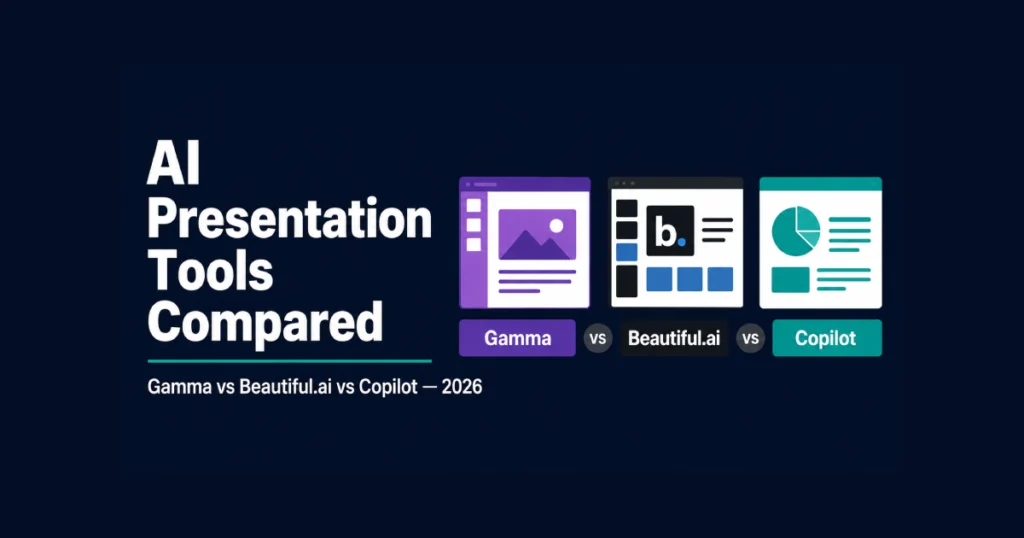
Best AI Presentation Tools in 2026 — Full Breakdown
Gamma
Gamma generates a complete, designed presentation from a text prompt in under 60 seconds. I’ve timed it. You type a topic or paste an outline, choose a visual style, and get a complete multi-slide deck with layout, content, images, and consistent design — not a blank template you still have to fill in yourself. The ai generation step alone removes what used to be an hour of work.
Gamma starts free with 400 AI credits (roughly 10 full presentations), then $8/month on Plus (annual) or $15/month on Pro. The free tier is real, not a time-limited trial. Some higher tiers now come with 500 AI credits or more per month, and Pro adds custom branding, analytics showing who viewed your presentation and for how long, and shared workspaces for teams. Under the hood, Gamma uses several different ai models depending on the task — content generation, image generation, and layout each pulled from different providers.
The honest limitation: Gamma’s card-based format looks great when shared as a link and genuinely bad when printed. Export to PowerPoint works, but some formatting and animations don’t survive the conversion — you’ll do cleanup if the deck needs to live in someone else’s .pptx workflow. Where tools like Gamma excel is generating an entire presentation from a single sentence prompt — the ai image generation for slide visuals happens automatically as part of the same request, without you needing to source images separately. For post-generation ai editing (rewriting slides, adjusting tone, changing structure), Gamma’s built-in editor is genuinely better than most competitors. For presentations that need to look exactly right in PowerPoint on someone else’s laptop, build the final version in PowerPoint even if you draft in Gamma first.
Beautiful.ai
Beautiful.ai’s selling point is Smart Templates — slide layouts that automatically reformat when you add or remove content, so a slide with five bullet points and a slide with two don’t look like different designers worked on them. For anyone who has spent an afternoon manually realigning slide elements after a last-minute content change, that feature alone is worth paying for.
Beautiful.ai costs $12/month on Pro (annual billing), with a Team plan at $40/user/month that adds brand controls, shared template libraries, and engagement analytics. There’s no genuinely free tier — the free trial limits exports and adds watermarks, which makes it hard to evaluate properly before committing.
Where Beautiful.ai earns its price is in teams that produce a lot of presentations and need them to look consistent without a dedicated designer enforcing brand standards. A solo freelancer making occasional pitch decks probably doesn’t need it. A 15-person sales team that sends out 30 decks a month probably does. The Team plan at $40/user/month is expensive enough that it’s worth doing the per-deck math before committing.
As an ai presentation maker, Beautiful.ai is the best presentation software on this list for design-sensitive work — every ai slide it generates follows your brand standards automatically. Some readers argue Beautiful AI is the best ai presentation maker overall, and for design consistency across an organization, that argument holds up. As the best ai presentation software for design-first teams specifically, it’s hard to beat — though the price tag reflects that positioning.
Google Slides with Gemini
This one consistently gets underrated in comparison articles because it doesn’t have its own brand identity — it’s a feature inside a tool you might already be paying for. Gemini inside Google Slides generates slide content, suggests layouts, and creates images directly in the editor. If your organization runs on Google Workspace, you already have access to this.
The free personal tier of Google Slides includes Gemini assistance at no extra cost since late 2025. Workspace Business plans include it as part of the existing subscription, and Google AI Pro subscribers get expanded generation limits inside the same ai workspace they already use for documents and sheets. For presentations that involve a lot of source material — research, meeting notes, existing documents — Gemini’s ability to pull from Google Drive files directly is genuinely more useful than Gamma’s blank-prompt approach. As an ai assistant embedded in tools people already know, Gemini removes the friction of learning a whole new interface.
Where it falls short: the AI design capability is weaker than Gamma or Beautiful.ai. Gemini helps with content, but it doesn't generate fully designed slide decks the way Gamma does. You're still doing a lot of layout work yourself. For content accuracy, it's strong. For design output, it's a step behind the specialized tools.
Microsoft Copilot in PowerPoint
Copilot generates slides inside PowerPoint using your organization’s existing templates, brand colors, and approved layouts. For enterprise teams locked into Microsoft 365 — and there are a lot of them — this means AI-generated presentations that don’t require reformatting to match company standards before they go to a client.
Microsoft Copilot in PowerPoint is included with Microsoft 365 Business Standard ($12.50/user/month) and higher tiers, with Copilot Pro available as a $30/month personal add-on. There’s no separate presentation tool to evaluate — it’s a feature you either already have or don’t.
The limitation nobody mentions: Copilot’s output quality in PowerPoint depends heavily on how good your organization’s existing templates are. If you have strong branded templates, Copilot uses them well. If your template library is a decade old and inconsistently built, Copilot inherits those problems and makes them more visible. It’s not a design tool — it’s a content and structure tool that works best when design is already solved. As best for PowerPoint users specifically rather than a general ai agent, Copilot benefits from Microsoft’s integration depth. Under the hood it uses advanced ai from OpenAI, but the value comes from how tightly it’s woven into the PowerPoint interface rather than from raw model capability alone.
Canva AI (Magic Design)
Canva occupies a different position from the other tools here — it’s a full design platform that happens to include AI presentation generation, rather than a presentation tool that added AI afterward. Magic Design takes a text prompt and generates slides, but the real value is what you can do inside Canva once you have a starting point: pull from a massive image library, adjust every element visually, and export to PDF or PPTX without losing much.
Canva is free for individuals with generous limits, with Pro running $15/month and Teams at $10/user/month. The AI slide generator is available on all tiers, though the AI credits system means heavy generation use eventually hits a ceiling on free accounts.
The honest trade-off: Canva’s AI generates slides that look unmistakably like Canva slides. If you’ve seen one Canva presentation, you recognize the aesthetic immediately — which is either a comfort (it looks polished) or a problem (it looks like everything else made in Canva). For teams that prioritize speed and don’t need a distinctive visual identity, that’s fine. For brands that care about differentiation, Canva’s AI presentation output needs heavier customization to not look generic. Canva Pro users get access to unlimited AI generation on many features, which changes the value math significantly if you’re producing decks regularly.
Plus AI
Plus AI is the tool most often overlooked in comparison roundups because it doesn’t have its own presentation format — it works as an add-on inside Google Slides and PowerPoint directly. You don’t leave your existing tool; Plus AI generates slides within it, respecting templates and formatting you’ve already set up.
Plus AI starts at $20/month per user and earns its price specifically for teams that need to stay in Google Slides or PowerPoint for client or enterprise reasons. It’s built to understand presentation structure the way an experienced designer would — where sections belong, what belongs on a title slide versus a content slide, how to break long text into visual elements. What Plus AI produces reads as intentional rather than templated, which matters more for high-stakes decks than for internal updates. As a presentation builder that works inside your existing tool, it removes the friction of switching platforms.
NotebookLM is the most different tool on this list. You upload your own sources — PDFs, research papers, meeting transcripts, website URLs — and NotebookLM generates presentations grounded in that specific material rather than making things up from general training data. Content accuracy is noticeably better than any other tool here when you need slides that correctly represent a specific document or dataset.
Google NotebookLM added slide generation in November 2025 and it’s completely free. There’s no paid tier for the presentation feature as of mid-2026. The catch is what you’re getting: functional, accurate slides with minimal design polish. If you’re presenting to a general audience and visual appeal matters, export to Slides and redesign. If you’re presenting to technical stakeholders who care about content accuracy over aesthetics, NotebookLM produces what Gamma can’t — slides you can actually defend.
How to Choose
The question isn’t which tool is best overall — it’s which format your presentations actually live in. If they get shared as links and viewed in a browser, Gamma wins easily. If they land in someone’s inbox as a .pptx and need to survive being opened in their corporate PowerPoint, start with Beautiful.ai or draft in Gamma and finish in PowerPoint directly.
For teams with an existing Microsoft 365 or Google Workspace subscription, check whether you already have Copilot or Gemini access before paying for anything else. The cost difference between “already included” and “$12-15/month extra” is worth 20 minutes of checking your existing subscriptions.
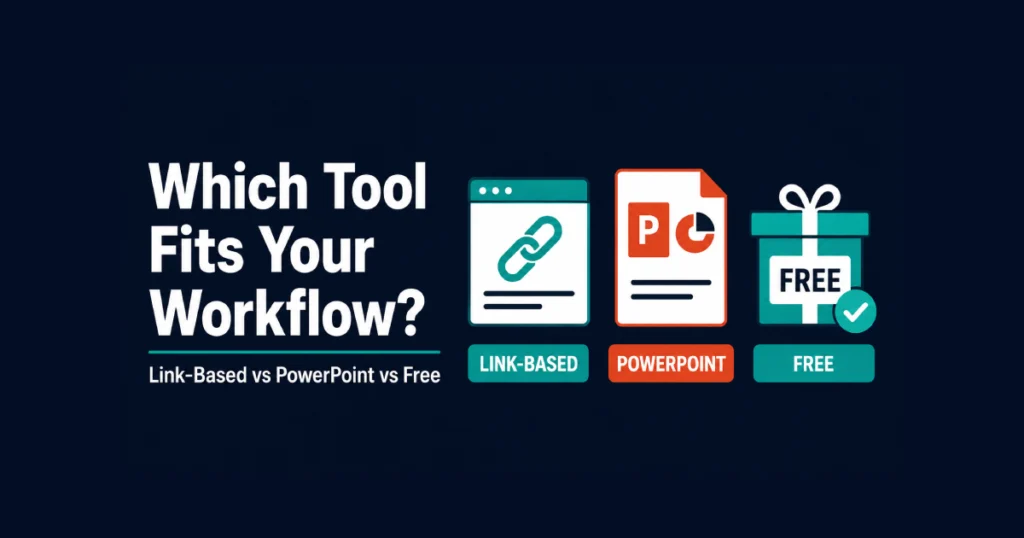
One thing worth knowing before you commit to annual billing on any of these: this category moves fast. Tome was a top recommendation 18 months ago and doesn’t exist as a presentation tool anymore. Gamma’s pricing has changed multiple times in 2026 alone. Confirm current pricing directly on each vendor’s site rather than trusting any comparison article, including this one.
For teams deciding between presentation tools and broader content creation platforms, our comparison of best AI tools for content creation covers where presentations fit into a full content workflow. And if budget is a constraint, how much AI tools actually cost breaks down realistic spending across categories.
What AI Presentation Tools Still Can’t Do
Knowing the limits is as useful as knowing the strengths. Every AI presentation generator on this list produces a first draft that gets you 60-80% of the way to a finished deck. The remaining 20-40% — the parts that make a pitch deck memorable, a sales deck convincing, or a board deck trustworthy — still requires human judgment. AI presentations in 2026 are genuinely useful for the first draft; they are not useful for the judgment calls that make a deck land.
Specifically: AI doesn’t know your audience’s specific objections. It doesn’t know that your CEO hates bullet points or that the client reviewing this deck always asks about competitive positioning in slide three. It generates plausible presentation structure from generic training data, which works well for standard formats and falls apart for anything requiring real domain knowledge or relationship context. AI content generation across every major AI presentation tool now handles standard formats reliably — the differentiation is in workflow fit, not raw ability to create a presentation.
The best workflow is “generate a first draft in 60 seconds, then spend 20 minutes editing the parts only you can know.” The generation step removes the blank-canvas problem and the layout work. The editing step removes the generic ai output and adds the specificity that makes any presentation worth giving. What AI makes reliably is the scaffolding; what humans add is the substance.
An ai deck that came out of Gamma or Beautiful.ai is a first draft, not a finished product. Treat every ai deck builder output that way, and you’ll get significantly more value from these tools than treating them as one-click solutions. AI requires your judgment as the finisher — that’s where the human input still matters more than any model choice.
AI Presentation Maker Comparison: Quick Reference by Use Case
Rather than one definitive ranking, here’s how to choose the right ai presentation maker for the situation you’re actually in. The best AI presentation maker for one use case is often a mediocre choice for another — matching pitch deck tools to actual pitch decks matters more than picking a universal “winner.”
For a pitch deck to investors: Beautiful.ai or Gamma. Investors receive hundreds of decks — design quality signals credibility before the content does. Beautiful.ai’s Smart Templates produce the more polished, consistent output. Gamma is faster if you need a working draft in under an hour. Neither is a substitute for knowing your numbers, but both produce decks that look like they came from someone who takes the presentation seriously.
For a sales deck to a new client: Plus AI (if your team works in Google Slides or PowerPoint already) or Beautiful.ai. Client-facing sales decks need to export cleanly to PowerPoint and survive being viewed on different systems. Plus AI works directly inside your existing tools, so the output is already in the right format. Beautiful.ai exports cleanly. Gamma’s link-based format creates unnecessary friction with clients expecting a file.
For an internal report or status update: Gamma or Google Slides with Gemini. Internal decks get shared as links in most organizations now, and Gamma’s format is genuinely better for that use case. If your organization lives in Google Workspace, Gemini assistance directly inside Google Slides is free and removes the need to switch tools entirely.
For a training deck or educational presentation: NotebookLM, for material that needs to accurately represent specific content. Gamma or Canva AI for anything more general. NotebookLM’s ability to ground slides in uploaded source material is genuinely valuable when accuracy matters more than polish.
For a solo freelancer with a small budget: Gamma’s free plan first. It covers roughly 10 full presentations per month before you hit any limit worth paying to remove. If you need PowerPoint export regularly, the $8/month Plus tier is the lowest-cost option that removes meaningful constraints.
Why “How Many Tools Should I Compare?” Is the Wrong Question
Most comparison articles for this category try to test 10, 12, or even 17 tools to signal thoroughness. I tested seven. The reason is simple: the gap between tool seven and tool seventeen in this category is much smaller than the gap between asking the right question and using the right tool for the task.
The free ai presentation maker you actually use beats the premium tool you forget to open. The ai slide generator that produces decks in the format your clients expect is worth more than one with better design if you're spending an hour reformatting every export. Generative ai creates presentations reliably across every ai presentation tool worth using now — the differentiation is in workflow fit, not raw generation quality.
Ai usage patterns matter here too. A team producing images using ai for slide visuals will value Canva or Gamma; a team giving live presentations to clients weekly will care more about export quality than generation speed. Some tools give you 100 AI credits per month; others meter differently. Ask the ai directly what it can and can’t do inside your first draft — most of these tools respond to natural conversation, and the answers tell you fast whether the tool fits your workflow. When comparing AI presentation makers in 2026, matching the tool to your specific use pattern beats picking whichever ranked first in someone else’s test.
If you’ve read this far and still aren’t sure which to pick: start with Gamma’s free plan this week. If you hit a real limitation, upgrade. If you find yourself needing something Gamma doesn’t do — cleaner PowerPoint export, native operation inside Google Slides, grounding in your own documents — that specific constraint will tell you exactly which tool to try next. Among the best ai tools for presentations available today, Gamma is the safest starting point precisely because it’s easiest to leave for something more specialized when your needs get specific. Getting AI assistance directly inside your presentation workflow is now table stakes; the question is which tool fits how you actually work.
Frequently Asked Questions
Can I create AI presentations for free?
Yes. Gamma’s free tier includes 400 AI credits (roughly 10 full presentations). Google NotebookLM’s slide generation is completely free. Google Slides with Gemini is free for personal accounts. None of these are time-limited trials — they’re real free tiers with usage limits rather than expiration dates.
Which AI presentation tool exports the cleanest PowerPoint files?
Beautiful.ai and Gamma both export to .pptx, with Beautiful.ai generally producing cleaner files for complex layouts. Tome would have been on this list a year ago, but it no longer offers presentation export. Copilot generates natively in PowerPoint, so there’s no export step at all.
Is Microsoft Copilot in PowerPoint worth it?
Yes, if your organization already pays for Microsoft 365 and produces presentations regularly. It generates slides using your existing templates and brand colors, which eliminates the reformatting step required with every other tool on this list. If you’re not already in the Microsoft 365 ecosystem, the cost calculation looks different.
What is NotebookLM’s advantage over Gamma?
Content accuracy from your own source materials. NotebookLM generates slides grounded in documents you upload — PDFs, transcripts, research papers — rather than generating content from general training data. The output is less visually polished than Gamma but more factually reliable when the source material matters.
How much should a small business spend on AI presentation tools?
Most small businesses don’t need to spend anything beyond a free tier at first. Gamma’s free tier covers 10 full presentations — enough to evaluate whether the tool fits your workflow before committing $8-15/month. The paid tier only makes sense once you’re creating presentations frequently enough that the free limits become a genuine constraint.