Best Zapier Alternatives in 2026
Table of Contents
My Zapier bill hit $180 last month for a setup that used to cost me $50. Nothing changed on my end — same five workflows, same apps connected. What changed is that two of my automations started running more often because a client added more form submissions, and Zapier counts every single step of every run as a task. Add a few extra triggers and suddenly you’re paying for the success of your own automation tool.
That’s the part nobody warns you about when they recommend Zapier to a small business. It works great until it works too well, and then the task meter turns into a tax on growth. So I spent two weeks actually rebuilding my core workflows on six different platforms, each one compared to Zapier on real pricing and real limits, to see which ones genuinely hold up once you’re past the “just a couple of simple Zaps” stage. If you’re researching an alternative to Zapier for the first time, this is the comparison I wish existed before I started.
If you’ve outgrown Zapier and want something that scales without the bill scaling faster than your business, you’re not alone — this is one of the most common reasons people start looking at Zapier alternatives in the first place.
Here’s what I found, with the prices, the annoyances, and the stuff that only shows up once you’ve used each tool for more than a free trial weekend.
A quick note before the breakdown: I’m not including every Zapier competitor that exists, just the ones I actually rebuilt real workflows on. There are smaller players and newer entrants showing up every few months in this space, and the workflow automation market overall is growing fast enough that this list will probably need an update before next year. What’s here held up under actual use, not just a demo.
The Short Answer
Make is the closest like-for-like replacement — same drag-and-drop builder, cheaper at scale, with an ease of use that doesn’t punish non-technical teams. n8n is the one to pick if you’re comfortable self-hosting and want to stop thinking about task limits entirely; it’s also the strongest pick once you’re running complex workflows with multiple branches. Pabbly Connect works well if your automations are simple and repetitive and you just want a flat bill every month. None of them import your existing Zaps, so budget time to rebuild, not just switch.
There isn’t one single “best” answer here — the right Zapier alternative depends entirely on whether cost, control, or simplicity matters most to your specific setup. Teams that need flat-rate pricing land somewhere different than teams that need deep technical control. If you’re trying to automate workflows without babysitting a task counter, that alone should narrow your shortlist fast.
Best Zapier Alternatives in 2026 — Full Breakdown
Make
Make used to be called Integromat, and if you used that years ago, the bones are familiar — just a lot more polished now as an automation platform. Pricing runs free for 1,000 operations a month, $9/month for Core, $16/month for Pro, up to $29/month for Teams at 10,000 operations. The free plan alone covers a surprising amount of light personal automation. The pricing model itself is the real story here — Make’s per-operation billing tends to land cheaper than Zapier’s strict per-task pricing once a workflow runs more than a handful of steps.
The “Zapier or Make” question comes up constantly in automation forums, and honestly, the answer depends on how complex your workflows already are. For anything with branching logic, Make wins on clarity alone.
What sold me on switching three of my workflows over wasn’t the price, honestly — it was being able to see the whole thing laid out on one screen as a workflow builder. Zapier hides your branching logic behind a “Paths” setting that you have to click into separately. Make just shows you the tree, which makes it one of the better tools like this for visual thinkers. When something breaks at 11pm and you’re tired, that visual difference matters more than it sounds like it should.
Make does fall behind on raw integration count, with fewer app integrations than Zapier’s directory. Zapier’s app directory is enormous; Make’s is smaller, though anything mainstream (Slack, Gmail, Airtable, the usual suspects) is covered fine. You’ll occasionally hit a webhook workaround for something niche, which is mildly annoying but rarely a dealbreaker.
One thing I didn’t expect to like: the error handling, especially for data transformation steps. A failed step can automatically retry, then notify Slack, then log to a sheet, all without you building three separate automations to cover that. Zapier technically does this too, but it feels like an afterthought bolted onto the side rather than something built into the core data flow.
n8n
n8n is the one people online get a little evangelical about, and after using it for two weeks I get why, even if I don’t fully share the enthusiasm. It’s a genuinely no-code-friendly tool on the surface, but built for technical teams underneath — which is exactly why it gets recommended so often as a Zapier alternative for developers specifically. n8n gives you a level of control that’s simply not available on Zapier at any price tier. Self-host it and there’s no license fee — period. You’re not counting tasks, you’re not watching a meter. The hosted version, if you don’t want to manage a server, starts around €20/month.
People switching from Zapier for cost reasons specifically tend to land here once their workflows get complex enough that even Make’s pricing starts to sting. It’s also worth knowing this is a genuinely free open-source option, not a freemium trial dressed up as one.
The catch, and it’s a real one: free software still costs you something. You’re now the person who patches the server, watches for downtime, and deals with it when something silently stops working over a weekend. For a solo operator with even basic comfort in a terminal, that’s a fair trade. For someone who just wants automations to run without thinking about infrastructure, it’s a quiet source of stress waiting to happen.
I also found n8n‘s node editor genuinely more powerful once you’re willing to write a little JavaScript for the edge cases a built-in node doesn’t handle. That’s also exactly why it’s not the right starting point for someone with zero technical background — the learning curve is steeper than Make’s, full stop.
Pabbly Connect
Pabbly doesn’t bill by task at all. You pay one flat rate and run as many workflows as you want within reason — a setup that suits business process automation better than per-task pricing ever could. For the kind of repetitive, predictable marketing automation a lot of small businesses actually need — new lead goes into the CRM, order confirmation gets sent, form submission triggers an email — that flat-rate pricing model removes the anxiety entirely. Run it 500 times or 50,000 times, the bill doesn’t move. For teams that need predictable monthly costs above almost everything else, this is the most straightforward answer on this whole list.
The tradeoff shows up the moment you need something the interface wasn’t built for. Pabbly Connect looks and feels a step behind Make’s polish, and support leans heavily on documentation and community forums rather than a live chat agent who responds in minutes. I had a workflow stall during a high-traffic afternoon and ended up troubleshooting it myself rather than waiting on a support ticket.
Still — for a small operation running three or four simple automations on a tight budget, I’d genuinely recommend this over Zapier without much hesitation. It’s not the most polished tool here. It’s the one that won’t surprise you on the invoice.
Activepieces
This one’s open source, MIT-licensed, free to self-host or modify however you want — genuinely one of the better open-source Zapier alternative options if license cost is the main thing driving your search. Ten active flows with unlimited runs before you hit any paid tier — that’s generous compared to almost everything else on this list. The integration count sits around 640-plus and growing, mostly because the open-source community can add new connectors directly instead of waiting on a vendor’s roadmap.
The “n8n or Activepieces” debate comes down mostly to how much custom code you’re willing to write. n8n gives more raw power; Activepieces gives an easier on-ramp.
Activepieces is the most approachable of the self-hosted options if n8n’s learning curve put you off — Docker setup, clear docs, less assumed infrastructure knowledge going in. Where it’s noticeably behind is building a mature ai workflow. Make and n8n have had longer to build out agent-style steps and LLM connectors, so Activepieces’ equivalents feel newer and less battle-tested in practice.
If open-source control matters more to you than having the newest AI features, this is a reasonable home. If you specifically need mature AI-step automation today, look elsewhere on this list first.
Microsoft Power Automate
I’ll be blunt: don’t bother with this one unless your company already runs on Microsoft 365. Outside that world, it’s a worse version of everything else here. Inside it, the calculation flips completely — native Excel, Outlook, Teams, and SharePoint integration, plus desktop RPA that can click through old legacy software with no API at all, something none of the cloud-only tools on this list can touch.
Pricing runs $15 per user per month on the Premium tier, paid annually, with pay-as-you-go for lighter use. Power Automate licensing gets confusing fast across Premium, Process, and the RPA add-ons, and most teams outside a Microsoft-managed environment report needing IT approval just to get started — friction that doesn’t exist with any of the other tools here.
Workato
Workato doesn’t even publish pricing on its website — it runs entirely on custom pricing negotiated per account. Every deal runs through sales, scaled to your company’s automation volume and governance requirements. That alone tells you who this is for — not a five-person startup deciding between a $9 and $16 plan, but a company with a procurement department and a specific compliance use case to solve.
What you’re actually paying for is governance: audit logs, role-based permissions, recipe version history that shows exactly who changed what automation and when. Workato makes sense once you’re running automations across finance, HR, and sales at the same time and need to know who touched what. For anyone reading this article because their Zapier bill annoyed them, this is almost certainly not your answer — it solves a different, much bigger problem.
Implementation here also looks nothing like signing up and building your first scenario over a coffee break. Most rollouts involve a dedicated onboarding period measured in weeks, with a Workato solutions engineer walking teams through governance setup before anyone touches a live workflow. That’s not a complaint about the product — it’s just a sign of who it’s actually built for, and it’s exactly why nobody running three Zaps for a side hustle should be looking at this one.
What I’d Actually Tell a Friend
If someone asked me over coffee which one to pick, I wouldn’t lead with a feature comparison. I’d ask what’s actually bothering them about Zapier right now. If it’s the bill specifically, Make solves that with the least disruption — you’re not learning a new mental model, just a cheaper one. If it’s that you’ve hit some structural wall, like wanting to run something a thousand times a day without anyone noticing, that’s n8n territory, and you should accept upfront that you’re also signing up to be a part-time sysadmin.
The mistake I see people make most often isn’t picking the “wrong” tool. It’s switching everything at once over a weekend and discovering three weeks later that some edge case their old Zap quietly handled never got rebuilt. Automation failures are usually silent — nobody gets an error message when a workflow that’s supposed to fire doesn’t.
How to Choose Zapier Alternatives in 2026
Forget the pricing page for a second and look at your actual workflows first. A simple two-step automation — form fills out, email sends — stays cheap basically anywhere, including on Zapier itself. The decision only gets interesting once you’re running multi-step workflows with filters, branches, retries, and notifications, because that’s exactly where the billing models stop behaving the same way. Zapier requires you to count every one of those steps as a task; that’s the single biggest reason people start looking elsewhere.
There’s no shortage of Zapier competitors beyond the six covered here, and new ones launch often enough that it’s worth checking current reviews before committing to annual billing on anything. What hasn’t changed much year over year is the core tradeoff: Zapier allows the widest app coverage and easiest start, while every alternative on this list trades some of that breadth for a better price or more control.
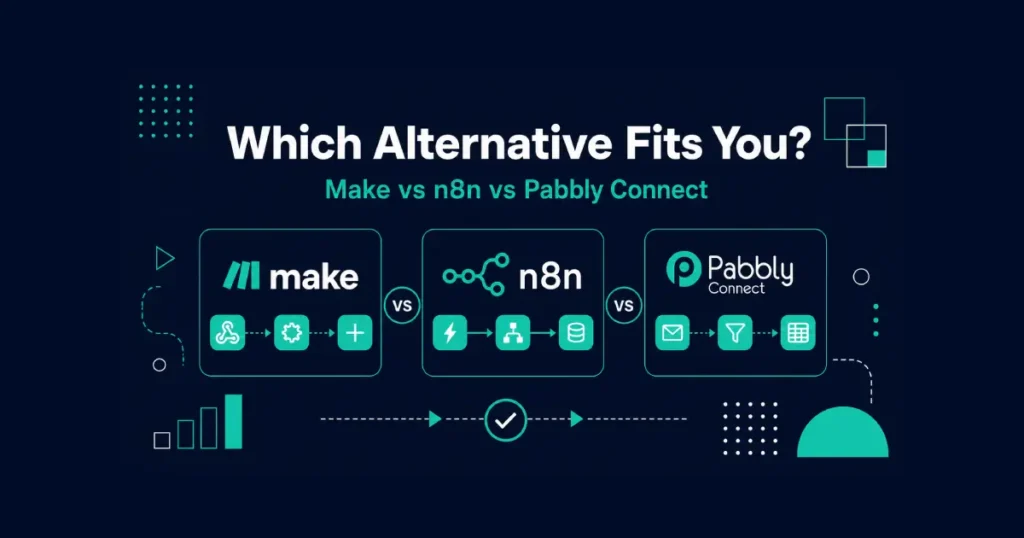
If you’ve got some technical comfort and want to stop thinking about task limits permanently, n8n self-hosted is the strongest option for complex automation. If you want something that feels familiar coming from Zapier but costs less at real volume, go with Make. If your workflows are simple, repetitive process automation and you just want a number you can count on every month, Pabbly Connect is the easy pick — especially for teams that want predictability over raw power.
Most of these platforms now ship some kind of ai assistant or ai agent step for building workflows faster, and pre-built templates exist across all of them for common use cases like lead routing or invoice generation. Don’t expect those templates to match your exact app integrations out of the box — they’re a starting point, not a finished workflow.
Don’t try to move everything at once. Nothing here imports Zaps directly, so you’re rebuilding by hand regardless of which tool you choose. Start with your three or four highest-volume workflows — the ones actually driving your expensive task counts — and leave everything else running on Zapier until you’ve confirmed the new platform handles your real edge cases, not just the happy path from a demo video.
A practical way to test this without committing fully: pick your single most expensive workflow on Zapier, rebuild just that one on your top candidate, and let both versions run in parallel for a week. Compare what actually happened, not what the pricing calculator promised. I did this with my highest-volume automation before moving anything else, and the real numbers looked different enough from the marketing math that I was glad I checked first.
If you’re already deep into rethinking your toolkit, it’s worth checking how this fits alongside your broader productivity tools, since task automation and project management increasingly overlap in 2026. And if you’re working solo, the cost calculus looks different than it does for a team — see our breakdown for freelancers if budget is the deciding factor more than features.
Pricing on every platform here shifts more often than comparison articles usually admit. Make has adjusted its credit thresholds more than once this year alone. Check the current numbers directly on each vendor’s site before you commit to anything, especially before paying annually.
Frequently Asked Questions
What is the best Zapier alternative in 2026?
Make, for most people switching off Zapier specifically because of cost. It keeps the same drag-and-drop feel Zapier users already know, just with cheaper pricing once a workflow runs at real volume. n8n is the better pick if you’re willing to self-host for unlimited runs.
Why does Zapier get expensive so fast?
Every action inside every workflow counts as a billable task, so a five-step automation running 200 times burns 1,000 tasks in one cycle. Costs scale with how often things run, not just how many workflows exist — which is exactly why growth makes your bill go up.
Is n8n really free, and does it support AI steps?
The software license is free if you self-host — no recurring fee, no task limits. Running the server yourself is still real work: patches, backups, uptime. n8n and Make are also further along with native AI connectors and agent-style ai automation than Activepieces, which is still catching up there.
Can I import my Zaps into a new platform automatically?
No. None of these tools import Zaps directly, so every workflow gets rebuilt by hand. A simple automation usually takes under an hour to recreate. Anything with custom code or multiple branches takes longer — budget a real afternoon, not fifteen minutes.
Which alternative is best for non-technical teams versus developers?
Make or Pabbly Connect for non-technical teams — both stay close to drag-and-drop simplicity. n8n is the stronger pick for developer-heavy teams, since its node-based editor lets you write custom JavaScript for edge cases no built-in connector handles. If open-source control matters most, n8n and Activepieces are the two genuinely free options worth comparing.
Is Pabbly Connect’s lifetime deal still around?
Check Pabbly’s current pricing page before assuming so — lifetime-access offers tend to get pulled or changed without much warning, and I wouldn’t quote a specific number here that might be outdated by the time you read this.
Does Microsoft Power Automate make sense outside a Microsoft 365 company?
Not really. Its main strength — native Excel, Outlook, and Teams integration — disappears the moment your company isn’t already paying for that ecosystem. Outside it, you’re better off with Make or n8n.
How long does switching off Zapier take, and should I run both at once during the transition?
Plan on a full weekend for four or five straightforward workflows, longer for anything with custom code or approval chains. Keep your existing Zaps live while you rebuild on the new platform, run both in parallel for a week or two, then cut over once you trust the results — cancelling Zapier the same day you sign up somewhere else is how silent failures slip through unnoticed.
Is Zapier actually better than Make or n8n, and will switching save me money?
Not universally better — Zapier wins on raw integration count and onboarding simplicity, while Make and n8n win on pricing once your workflows get complex. Savings aren’t always immediate either: the migration time itself has a cost, so the math usually pays off within a month or two for someone running ten-plus workflows, but might not justify the weekend for just two or three light Zaps.