Best AI Tools for Accounting 2026
Two AI accounting companies that investors believed in are now gone. Botkeeper shut down in February 2026 after eleven years and roughly $90 million raised. Bench Accounting announced it was closing on December 27, 2025, stranding thousands of businesses over the holiday weekend, before Employer.com acquired it three days later and restarted service in January.
That matters when you’re choosing a bookkeeping tool. Both platforms were well-funded, well-reviewed, and apparently working right up until they weren’t. If your financial records live inside software, you should know which companies have staying power and which ones you’re essentially betting on.
This article covers the best AI tools for accounting 2026 that are stable and worth using, what each one actually does, and the question that keeps getting avoided: do you want AI to help your existing bookkeeper, or do you want AI to replace the bookkeeping workflow entirely? Those are different products. Choosing wrong is a costly mistake.
Before the breakdown, one thing worth flagging: ChatGPT, Claude, and similar generative AI tools can read a P&L, answer questions about your finances, help draft financial reporting summaries. They are not accounting software. Finance teams use them to think through accounting tasks, not to close the books. The tools in this article actually post transactions, reconcile accounts, maintain a ledger.
The Short Answer
For most small businesses, QuickBooks Online or Xero are the safe picks. Both have AI built in, both have large accountant networks, and neither is going anywhere. Freelancers and solo operators do fine with FreshBooks or Wave. Startups needing accrual accounting with an AI-first option can look at Pilot. Microsoft Copilot is useful inside Excel but is not an accounting system.
Best AI Tools for Accounting 2026 — Full Breakdown
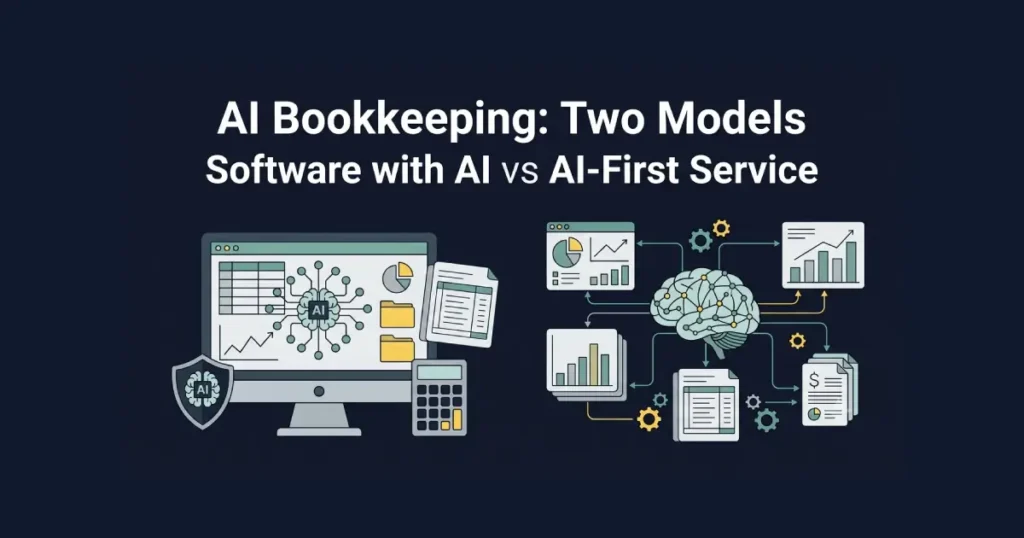
One distinction worth naming before the tool-by-tool breakdown: some of these are accounting software with AI features, tools you run yourself that your accountant can also access. Others are closer to AI-powered bookkeeping services, where you’re buying the output rather than operating the software. That difference affects price, control, and what happens if the company ever runs into trouble.
QuickBooks Online — Intuit Assist
Intuit has been adding AI to QuickBooks Online for several years, and the current version is genuinely useful rather than bolted on. Intuit Assist categorizes transactions, flags anomalies in spending patterns, and handles natural language questions about your finances. You type “what did I spend on software subscriptions last quarter?” and get an answer. That used to require either running a report yourself or asking your bookkeeper.
The task-specific agents are the newest addition: separate AI agents for accounting, payments, finance, and customer management. They run continuously rather than waiting for a prompt. Unusual payroll numbers get flagged. Duplicated vendor payments surface on their own. It’s the kind of AI that’s useful because it runs without you thinking about it.
The dashboard gives finance teams a real-time view of cash flow, outstanding invoices, accounts payable balances, and expense patterns without needing to generate a separate report for each. Data entry automation handles most of the routine tasks that used to consume hours each week.
QuickBooks starts at $35/month and reaches $235/month at the Advanced tier. The full AI features come in at the $90/month Plus plan and above. More importantly: if you work with an accountant, they almost certainly know QuickBooks well. That’s worth more than any feature comparison. The accountant familiarity argument is real, and it’s worth factoring in before you get excited about a competing platform’s AI features. Switching accounting software mid-year to chase a feature advantage usually creates more disruption than value.
Xero — JAX (Just Ask Xero)
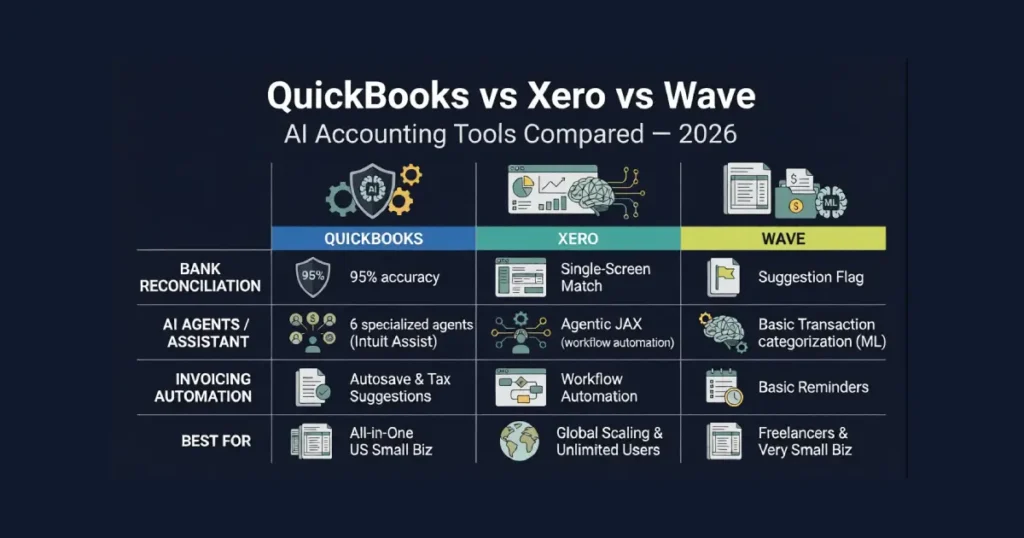
Xero‘s AI layer is organized around JAX (Just Ask Xero), which does the same kinds of things as Intuit Assist: natural language queries, AI-assisted bank reconciliation, anomaly detection. The reconciliation is Xero’s strongest feature. It’s fast, accurate, handles multi-currency, and the underlying AI uses machine learning to get better at data extraction from bank statements over time. The first month requires more corrections than the sixth.
Where Xero genuinely outperforms QuickBooks is the integration count: over a thousand app connections. If your business runs on specific tools (a particular CRM, a custom inventory system, a project management platform), Xero almost certainly has a working connector. Unlimited users on every plan is also notable; QuickBooks charges per user and the costs add up.
Xero’s pricing runs $20/month at the Starter end (which is genuinely limited, invoice and bill caps hit fast) to $80/month at Ultimate. For growing businesses outside the US, the international coverage tends to be stronger than QuickBooks.
FreshBooks — AI Expense Categorization
FreshBooks is built for people who bill by the hour or by project. The AI handles expense categorization and receipt scanning, but the platform doesn’t try to be a full accounting system. No natural language querying, no predictive analytics, no inventory management. That’s a deliberate design choice. They built it for a specific use case and didn’t bloat it.
The invoicing side is genuinely excellent: automated payment reminders, online payment collection, time tracking that flows directly into invoices. Setup takes a couple of days rather than weeks. If you're a freelancer who needs accounting software, this is probably it. If you need full bookkeeping depth, you're in Xero or QuickBooks territory.
Pricing runs $19/month for the Lite plan (capped at 5 clients) to $60/month for Premium. One thing people miss: the Lite plan’s client cap hits fast for anyone who’s been freelancing for a while. Most working freelancers end up on the $33/month Plus plan, which removes the cap and adds time-based billing features that the Lite tier doesn’t include.
Wave — Free Accounting with AI Features
Wave is free for core accounting and invoicing, which makes it unusual. In a category where even basic plans typically cost $20/month, Wave’s free tier is functional, not a stripped-down trial. The AI features are narrower than the paid platforms (basic categorization, receipt scanning through the app) but they work. For micro-businesses, solopreneurs, anyone just getting started, Wave gives you enough structure to stay organized and tax-ready without paying anything.
Where Wave charges money: payroll ($20/month plus per-employee fees), payment processing (standard card rates), and Wave Advisors if you want an actual human bookkeeper. The free core is real.
The limitation is scale. Employees, complex inventory, multi-currency transactions, any of those things, and Wave becomes genuinely frustrating. The reporting in particular gets thin once your books have any complexity. Most businesses that outgrow it switch to QuickBooks or Xero within the first two years, and Wave makes that migration reasonably straightforward. Export your data before you need to.
Zoho Books — Value Option with Zia AI
Zoho Books includes Zia, Zoho’s AI assistant, which handles insights, anomaly detection, and automated workflows. If you’re already using other Zoho products (CRM, Desk, Projects), the integration is tight enough that Books can sit at the center without much configuration work.
The pricing is competitive: free for businesses under $50K annual revenue (with some limits), then $20/month and up. The free tier is functional. Automated payment reminders, recurring invoices, and bank reconciliation are included even on lower tiers. Zoho’s accounting depth is solid for most small to mid-size businesses.
The catch is the accountant network. It’s smaller than QuickBooks or Xero. If you want to hand your books to an outside accountant, confirm they’re comfortable with Zoho before switching. That one conversation has saved a lot of businesses from a painful platform switch. Accountant familiarity with your software matters more than most feature comparisons. It’s the main reason businesses stay on QuickBooks even when a cheaper option would handle their actual needs just fine, and it’s a real consideration before signing up for anything outside the QuickBooks or Xero ecosystem.
Microsoft Copilot for Finance
Microsoft Copilot for Finance works inside Excel and Microsoft 365. It analyzes P&Ls, identifies trends, summarizes variance, answers questions about financial data. That’s legitimately useful for financial analysis, forecasting, and reporting.
What it can’t do: post journal entries, maintain a chart of accounts, produce GAAP-compliant financials, close a period. It is not accounting software. Every output it produces requires human review and then manual execution in an actual ledger system.
Microsoft 365 Copilot runs $30/user/month on top of existing M365 licensing. If your team already lives in Excel for financial modeling, Copilot is worth it for that workflow. If you’re looking for something to replace your bookkeeping process, look elsewhere.
Pilot — AI Bookkeeping with a Human Option
Pilot runs the most interesting pricing experiment in this category. Their Essentials plan at $99/month is AI-first with no dedicated human bookkeeper. Their Core plan starts at $499/month and puts a US-based human bookkeeper on your accrual accounting. The gap between those two numbers is roughly what the market currently charges for a human in the loop.
Pilot is a YC company, raised $17.5M in a Series A in January 2025, counts accounting firms including EisnerAmper as customers. It’s built for startups and growing businesses that need accrual accounting and a clean audit trail. Investors, boards, and lenders often ask for accrual-basis financials. If that’s your situation, cash-basis tools like Wave won’t cut it.
The $99 AI-first tier is genuinely compelling if you’re comfortable without a dedicated human reviewing transactions. If you need human sign-off on complex accounting tasks, that’s what the $499+ Core tier is for.
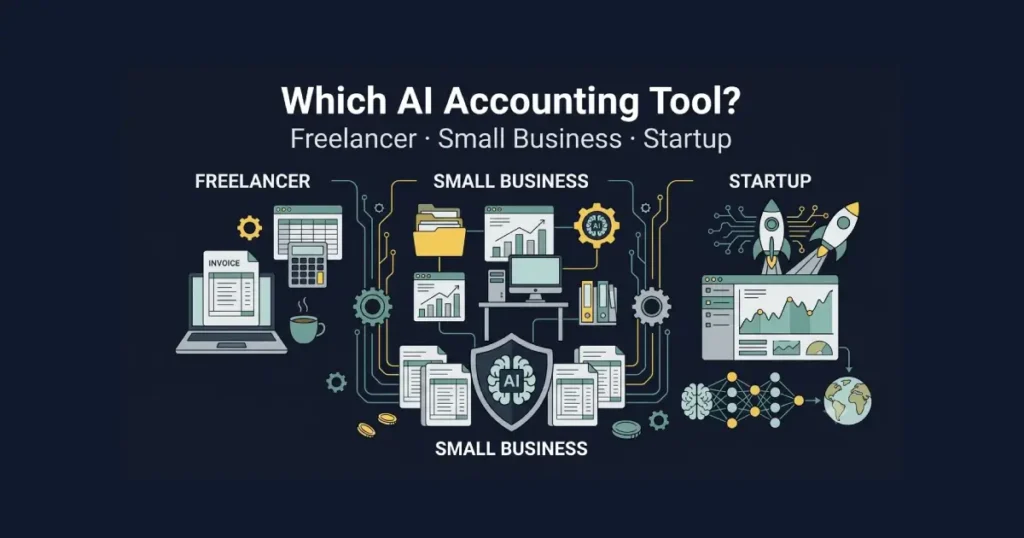
Accounting AI Tools — Quick Comparison
Here is how the best AI tools for accounting 2026 compare at a glance:
| Tool | Best For | Starting Price | AI Highlights |
|---|---|---|---|
| QuickBooks Intuit Assist | Most small businesses | $35/month | Natural language queries, task agents, anomaly detection |
| Xero JAX | Growing businesses, multi-user | $20/month | 1,000+ integrations, adaptive reconciliation |
| FreshBooks | Freelancers, hourly billing | $19/month | Expense categorization, receipt scanning |
| Wave | Micro-businesses | Free | Basic categorization, receipt capture |
| Zoho Books | Value-focused, Zoho users | Free (under $50K revenue) | Zia AI assistant, workflow automation |
| Microsoft Copilot | Financial analysis in Excel | $30/user/month + M365 | Analysis only, not a ledger system |
| Pilot Essentials | Startups, AI-first bookkeeping | $99/month | Full AI bookkeeping service, no human included |
How to Choose the Best AI Tools for Accounting 2026
Start with the question that doesn’t get asked clearly enough: do you want software with AI features, or do you want an AI-first bookkeeping service?
QuickBooks, Xero, FreshBooks, Wave, and Zoho Books are accounting software with AI built in. You run them. Your accountant can access them. The AI helps with categorization, reconciliation, and reporting, but the decisions are yours. That’s different from buying a service where the output (clean books, financial statements, reconciled accounts) is the product.
Mixing these two categories up is where businesses end up paying twice: once for software they don’t fully use, and again for a service that covers the same ground.
The Botkeeper and Bench situations make platform stability worth weighing. Both were established and funded. The lesson isn’t that AI accounting services are unreliable in general. It’s that you should keep your own data exports current regardless of which platform you use. Every tool on this list lets you export. Set a quarterly reminder and do it.
The broader point: AI in accounting workflows exists to free accounting teams from the mechanical stuff, data entry, transaction matching, invoice processing, so they can focus on higher-value work. Analysis, forecasting, advisory. Any tool you evaluate should be tested against that question: what does it actually automate, and are those the right hours to free up?
If you already use QuickBooks or Xero, turning on the AI features costs nothing extra and is the fastest win available. Don’t switch platforms chasing a newer AI layer when the one you have is already capable.
Starting fresh and still deciding which of the best AI tools for accounting 2026 fits your situation: freelancers and service businesses do well with FreshBooks or Wave. Most small businesses with employees will be better served by QuickBooks or Xero from day one. Before committing to any platform, it’s worth understanding how much AI really costs across different tools and tiers. All cloud accounting platforms require a live bank feed connection, so reviewing AI privacy and security before you connect your financial data is a reasonable step.
Frequently Asked Questions
What are the best AI tools for accounting 2026?
QuickBooks Online with Intuit Assist and Xero with JAX are the strongest all-round platforms for most businesses. Wave is the best free option. FreshBooks is the right call specifically for freelancers and service businesses billing by the hour.
What happened to Botkeeper?
Botkeeper shut down in February 2026 after eleven years and roughly $90 million raised. The platform built capable AI bookkeeping technology but couldn’t reach sustainable scale. Customers had to migrate.
Can AI replace an accountant or bookkeeper?
On the repetitive work, yes. Categorization, bank reconciliation, receipt capture, anomaly detection, routine reporting. On the judgment calls, no. Complex transactions, tax strategy, compliance decisions, anything that requires professional interpretation: that still needs a human. Most businesses use AI to eliminate the mechanical work and give their accountant more time for the parts that actually require thinking. The job changes; it doesn’t disappear. Finance professionals who learn to use these tools well tend to handle more clients or more complex work than those who don’t.
Is Wave really free?
Core accounting and invoicing, yes. Payroll, payment processing, and human bookkeeping support cost extra. For micro-businesses that don’t need payroll, the free core is enough to run properly.
What does Microsoft Copilot for Finance actually do?
Analyzes financial data inside Excel and Microsoft 365. Summarizes P&Ls, identifies variance, answers questions about spreadsheet data. It doesn’t post journal entries or maintain a ledger. Financial analysis assistant, not accounting software.
How much should AI accounting software cost?
Wave is free for the core. FreshBooks and Zoho start around $20/month. QuickBooks and Xero run $35 to $80/month for full plans. Pilot’s AI-first tier is $99/month. If cost is the main constraint, Wave and Zoho’s free tier are genuinely functional.
Should I switch accounting platforms to get better AI features?
Probably not, if you’re already on QuickBooks or Xero. Both have improved their AI significantly. Switching accounting software is disruptive: historical data migration, retraining, updating accountant access. The AI gain rarely justifies that disruption unless you’re starting fresh or your current platform is fundamentally broken for your needs.