Best AI Tools for Small Business in 2026 — What Actually Works
Table of Contents
Running a small business in 2026 means doing ten jobs at once. Marketing, customer service, accounting, content creation — and somehow still finding time to actually run the thing. The tools below close some of that gap. Not all of them, and not for every business, but enough that skipping this category entirely is starting to cost real hours.
Most “best AI tools” lists online read like ads dressed up as advice. So these were tested against real small business tasks rather than ranked by which vendor pitched the loudest. Some earned a place here. Others got cut for being expensive and overhyped.
The Short Answer
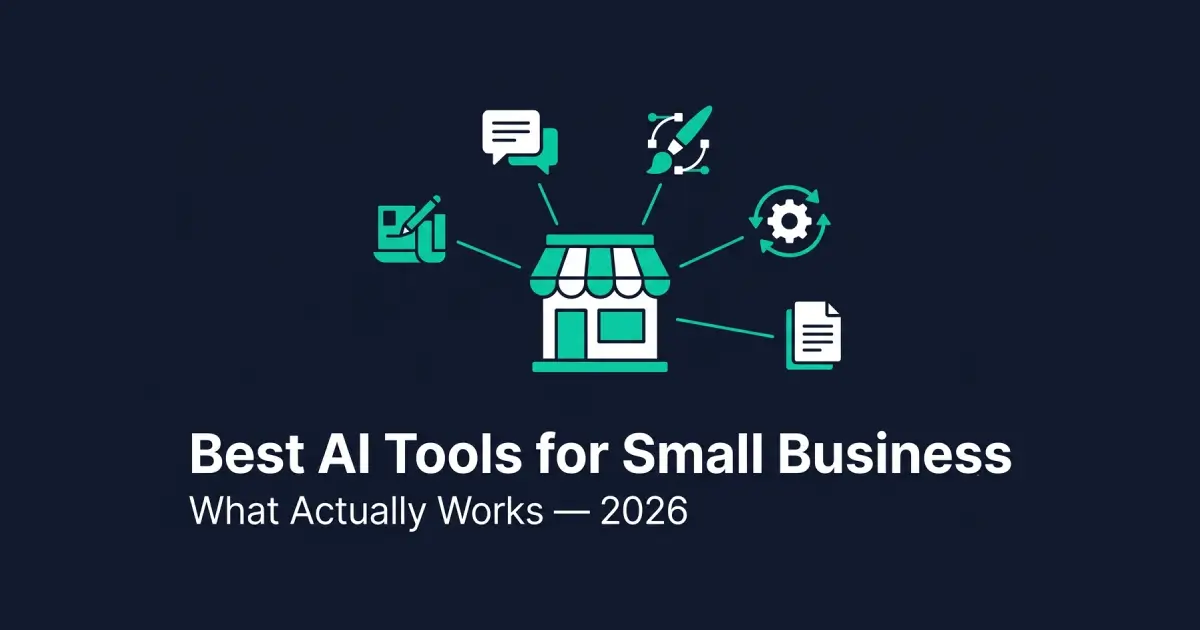
ChatGPT and Claude cover everyday writing and document work better than almost anything else on this list. Canva handles visuals without a designer on staff. Zapier automates the repetitive busywork between apps. Notion AI organizes the chaos once a team grows past one person. Tidio answers the same customer questions automatically so nobody has to type the same reply for the hundredth time.
Best AI Tools for Small Business in 2026 — Full Breakdown
1. ChatGPT — The Default Starting Point
ChatGPT earned its reputation honestly. The free version handles most everyday writing — a professional email drafted in thirty seconds, five product descriptions before lunch, a frustrated customer review turned into a measured reply without an hour spent agonizing over wording.
The paid tier at $20/month adds GPT-4o, which is noticeably better at nuanced requests, can analyze data inside an uploaded spreadsheet, and generates ideas that don’t sound recycled after the third prompt.
One thing worth watching: it’s broad rather than deep. Ask it something specific to your exact niche and it occasionally answers with confidence and gets the detail wrong. Anything that goes out to a customer or gets published deserves a quick fact-check first.
Custom instructions are the most underused feature here. Set your role, your preferred tone, and what context to assume once, and every new conversation starts from that baseline instead of you re-explaining the same background each time.
Free tier available. Plus at $20/month.
2. Claude — Better for Long Documents and Careful Reading
Claude handles long documents more carefully than most tools in this category. Feed it a fifty-page supplier contract and ask it to flag anything unusual — it does this well. Hand it a month of customer feedback emails and ask what keeps coming up — also solid.
For a business that deals with a lot of reading — contracts, industry reports, lengthy supplier terms — this is the assistant worth having open. It also holds a consistent voice across long pieces of writing better than most alternatives, which matters if AI is helping scale content without every page sounding identical.
One workflow worth trying: paste in a messy email thread with several unresolved questions and ask for a summary of what’s been decided, what’s still open, and a draft reply that addresses everything in one pass. It handles this kind of multi-thread untangling more reliably than most general writing tools.
Our full comparison of ChatGPT vs Claude goes deeper into when each one actually wins.
Free tier is generous. Pro at $20/month.
3. Canva — Visuals Without Hiring a Designer
Canva‘s AI features close a real gap for small teams. Magic Design turns a text description into layout options in seconds. Background removal works cleanly on product photos with no Photoshop required. A built-in image generator covers custom visuals when a stock photo won’t do.
For a business that needs to look consistent online but can’t justify a full-time designer, this gets close enough, fast enough, more often than not. It won’t produce agency-quality work — but a decent graphic published today usually beats a perfect one finished next week.
Free tier covers basic needs. Pro at $13/month.
4. Zapier — Where the Real Time Savings Hide
Most owners don’t think of Zapier as an AI tool, but it’s become one. The platform now runs AI agents that make decisions inside a workflow — not just moving data from one app to another, but actually reading what came in and routing it correctly.
A practical version of this: a contact form gets submitted, Zapier reads the request, categorizes it, sends a tailored reply, creates a task in your project tool, and notifies the right person — without anyone touching it. For a small team buried in repetitive steps, that’s where the hours actually come back.
The honest tradeoff is setup time. Building the first automation takes longer than the manual version of the task would take once. The payoff shows up after that, every time the same workflow runs again without anyone repeating the setup work.
Free plan is limited. Paid plans start at $19.99/month.
5. Notion AI — Organizing the Chaos as You Grow
Notion works as a smarter combination of docs and project boards, and the AI layer adds a real shortcut on top: automatic meeting summaries, a first draft of a standard operating procedure, answers to questions pulled directly from documents already stored inside it.
For a business with information scattered across five different apps — which describes most small businesses — this turns that scatter into something searchable. A solo operator can usually skip it. Once a second or third person joins, it starts earning its cost.
AI add-on runs $10/month on top of the base plan.
6. Tidio — Answering the Same Question for the Hundredth Time
Tidio puts an AI agent on a website that handles the repetitive questions without a person typing the same answer over and over — hours, shipping, returns, whether a product’s in stock. After a short setup, it resolves a real share of incoming questions on its own, freeing up time that used to go entirely to copy-pasting the same three answers throughout the day.
We cover the full landscape of options here, including which ones are genuinely free, in our dedicated guide to free AI chatbots for websites. For most small businesses, Tidio remains the easiest place to start.
Free plan available. Paid plans start at $29/month.
7. Jasper — Worth It Once Volume Becomes the Bottleneck
Jasper is built specifically for marketing copy, with templates for ads, landing pages, and email sequences. The output for pure marketing content is genuinely good — sometimes better than a general-purpose tool on this exact task.
The catch is price. At roughly $49/month, it’s hard to justify when ChatGPT covers a large share of the same job for less. It starts making sense once content volume is high enough that the specialized templates save real time every week — which we cover in more depth in our guide to AI tools for content creation.
Creator plans start around $49/month.
8. Otter.ai — For Businesses Drowning in Meetings
Otter.ai records meetings — Zoom, Google Meet, in person — and turns them into transcripts with summaries and action items attached. If meetings eat real hours and writing them up afterward eats more, this removes both problems in one step.
It’s a narrow use case compared to everything else on this list, which is exactly why it’s worth mentioning separately rather than folding into a general productivity pick — more on that angle in our AI productivity tools guide.
Free plan covers 300 minutes a month. Paid plan around $16.99/month.
How to Choose the Best AI Tools for Small Business in 2026
Don’t adopt eight new tools in the same week. Pick whichever single problem wastes the most time right now and start there — writing, documents, visuals, repetitive admin, or customer questions, not all five at once.
A genuinely workable starting stack costs little to nothing: ChatGPT or Claude’s free tier for writing, Canva’s free tier for visuals, and Tidio’s free tier for basic customer questions. Add Zapier once repetitive manual steps are the clear bottleneck, and Notion AI once a second person joins and information starts living in too many places at once.
Business type changes the priority order too. A service business that bills by the hour usually gets the fastest payoff from writing and document tools, since proposals and client communication eat real billable time. A product or ecommerce business tends to see the bigger win from customer service automation and visual content tools first, since those touch every single transaction rather than occasional admin work.
Give whatever you pick a real month before deciding if it earns its place. Most of these have a free tier specifically so the risk of trying is close to zero.
The pattern that actually works tends to look boring from the outside: one tool, adopted properly, used daily for a month, before anyone even considers a second one. The businesses that bounce between five trial subscriptions every quarter rarely get further than the businesses that picked one thing and stuck with it long enough to find out whether it actually helped.
How to Know If a Tool Is Actually Saving Time
Most small business owners never actually measure this — they just have a vague sense that a tool feels useful, or doesn’t. That vague sense is unreliable, because the time saved on a task tends to be invisible while the time spent learning a new tool is very visible.
A simple fix: for one week before adopting anything new, track how long the target task actually takes — writing five product descriptions, answering ten repeat customer questions, building one social graphic. Then track the same task with the AI tool for a week. The comparison is usually more dramatic, in one direction or the other, than the vague impression would have suggested.
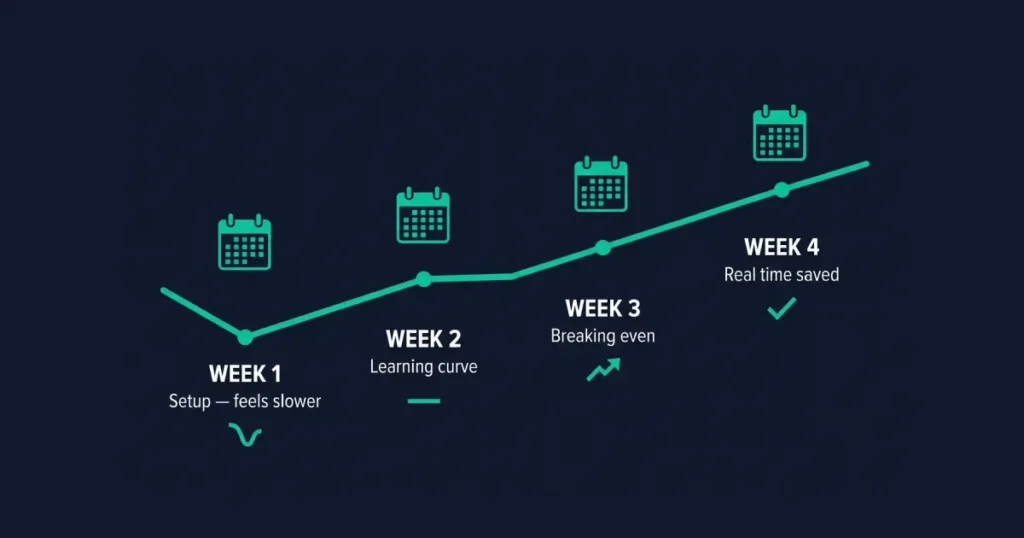
This matters most for the tools with a real learning curve, like Zapier or Notion AI. The first week with either one often feels slower than the manual process it’s replacing, purely because of setup time. The real test is week three or four, once the setup cost is behind you and only the ongoing time savings remain.
What AI Won’t Fix
These tools free up real hours — that part is genuine. What none of them do: replace actual expertise, understand your specific market the way you do, or fix a product that doesn’t fit its customers. They generate plausible output, not guaranteed-correct output. Anything that actually matters — legal documents, financial decisions, anything with real consequences if it’s wrong — still needs a person to check it.
The businesses getting the most out of this category in 2026 use AI for the repetitive, time-consuming work and keep their own judgment for the decisions that actually count. That’s most of the difference between a useful tool and an expensive distraction.
Frequently Asked Questions
What are the best AI tools for small business in 2026?
ChatGPT and Claude cover writing and document work. Canva handles visuals without a designer. Zapier automates repetitive tasks between apps. Notion AI organizes information as a team grows. Tidio answers routine customer questions automatically. The right starting point depends on which single task is currently wasting the most time.
Which AI tool should a small business start with?
Start with whichever free tool solves today’s biggest time sink, not the one with the longest feature list. Most small businesses get the fastest payoff from ChatGPT or Claude for writing, since drafting and editing text eats more weekly hours than almost any other task in a typical small operation.
Are free AI tools good enough for a small business?
Often, yes, especially at the start. ChatGPT, Claude, Canva, and Tidio all have free tiers capable of handling real, everyday small business tasks. Paid upgrades become worth it once volume or complexity outgrows what the free tier allows — not before.
How much should a small business expect to spend on AI tools in 2026?
A genuinely useful starting stack costs $0 using free tiers alone. A small business running two or three paid tools — Canva Pro, Zapier, Tidio — typically spends somewhere between $60 and $100 a month total, well below what hiring for any one of those tasks would cost.
Can AI tools replace hiring for marketing or customer service?
Not entirely. They handle the repetitive, well-documented parts of marketing and customer service — routine questions, first drafts, basic graphics — well. Judgment calls, brand strategy, and unusual customer situations still need a person. Most businesses end up with AI reducing the hours a role takes, not eliminating the role.
What’s the biggest mistake small businesses make with AI tools?
Adopting too many tools at once before fully using any single one. Trying five new subscriptions in the same month usually means none of them get properly adopted, and the business concludes AI “didn’t work” when the real issue was rollout, not the tools themselves.
Is Jasper worth it for a small business?
Usually not at the very start. ChatGPT covers a large share of the same marketing writing for less money. Jasper earns its cost once content volume is high enough that its marketing-specific templates save meaningful time every week — typically a later-stage problem, not a day-one one.
Do small businesses need different AI tools than freelancers or larger companies?
Mostly the same tools, used differently. A freelancer typically needs one or two tools used deeply for a single task. A small business with two or three employees benefits more from tools like Notion AI and Zapier that coordinate work across people, not just speed up one person’s output. A larger company eventually needs the governance and team features — brand voice controls, admin permissions — that most small business budgets skip entirely until they’re genuinely necessary.
How long does it take to see real results from AI tools?
For writing and visual tools, immediately — the time saved on the first email or graphic is the same time saved on the hundredth. For tools with real setup, like Zapier or Notion AI, expect the first week or two to feel slower than the old manual process, with the genuine payoff arriving once the initial configuration is behind you and only the ongoing time savings remain.