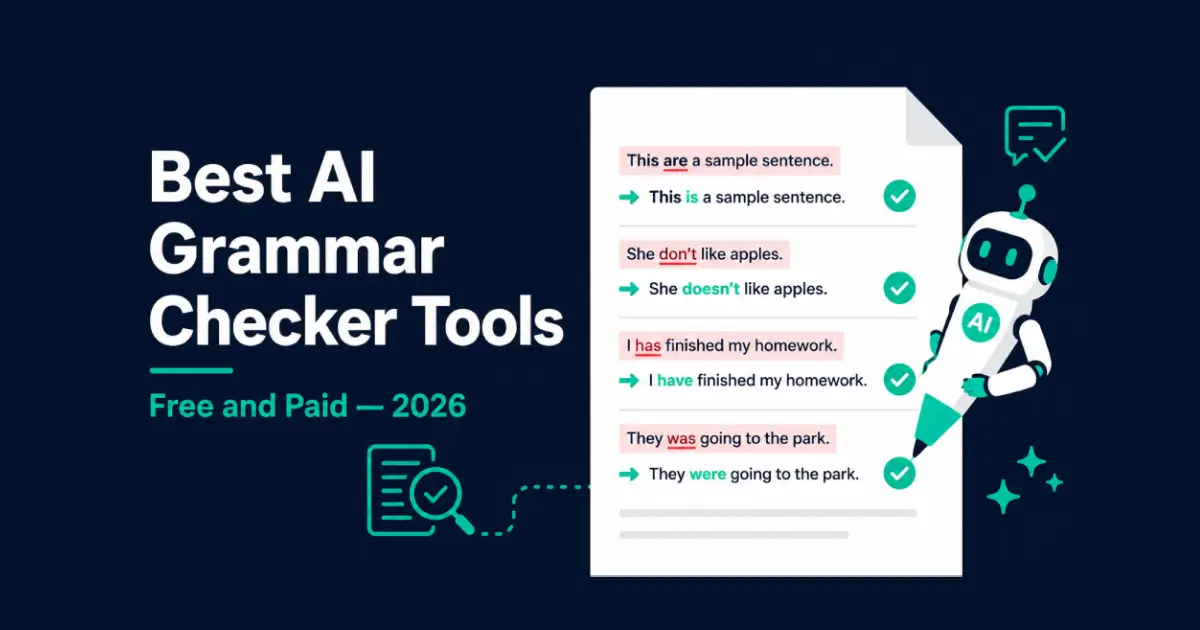
Best Free AI Grammar Checker Tools in 2026
Table of Contents
I’ve read sentences that were technically correct and still made no sense. That’s the problem grammar checkers used to ignore completely. They caught the comma, missed the confusion.
The best grammar checker tools in 2026 actually fix that. They catch style problems, proofread for tone, flag spelling and grammar errors humans miss on re-reads, and suggest rewrites that are genuinely cleaner. Here’s what I found after testing eight of them on real writing.
Who This Guide Is For
Anyone who writes professionally and can’t afford to send out something embarrassing. Freelancers, content creators, business owners, students, non-native English speakers. If you write anything other people read – a grammar checker belongs in your workflow.
What I Tested and How
Same five documents through every tool: a business email, a blog post draft, an academic paragraph, a product description, and a piece of creative writing. I wanted to see which tools catch real grammar errors versus just flagging obvious ones, whether the suggestions actually improve your writing, and whether the free version is usable or just a long advertisement for the paid plan.
Results below.
Best Grammar Checker Tools 2026 – Full Breakdown
1. Grammarly – Best All-Round Grammar Checker
Best for: Business emails, professional writing, everyday content across any platform
Grammarly is the most widely used online grammar checker in 2026, and it earned that position. Browser extension, desktop app, mobile keyboard. Gmail, Google Docs, LinkedIn, Slack, Word, Outlook. If you write in it, Grammarly is probably there.
On the business email test, it caught a passive voice issue I’d read past five times and suggested a cleaner rewrite. That’s what separates a real writing assistant from a basic spell-check.
The free version handles grammar correction, spelling, and basic clarity. Premium adds tone detection, full style suggestions, and readability scoring at $12/month billed annually.
Where it falls short: some correction suggestions that feel basic are paywalled. On technical writing, it occasionally flags correct domain-specific english grammar as errors.
Pricing: Free. Premium at $12/month (annual).
2. LanguageTool – Best Free Grammar Checker Online
Best for: Multilingual writers, anyone who wants to check grammar online without a credit card
LanguageTool is the most honest free online grammar checker I’ve found. No credit card to start. No daily limit. The browser extension works across most platforms and it’s free to use immediately.
The multilingual support sets it apart. Over 30 languages with contextual grammar and spelling checks – not just spell-check run through a translation layer. For teams writing in German, Spanish, French, or Portuguese, this is the tool Grammarly isn’t.
On the blog post test, it caught a misused semicolon Grammarly missed and flagged a punctuation checker issue in the academic paragraph. Small things, but the kind that matter in professional writing.
Premium at $5.99/month adds more style suggestions. The free version handles most individual writing needs without upgrading.
Pricing: Free. Premium at $5.99/month (annual).
3. ProWritingAid – Best for Writers Who Want to Improve
Best for: Long-form writers, content strategists, authors, anyone serious about their writing style
ProWritingAid is different from every other tool here. Instead of flagging individual grammar errors, it generates full reports on your writing patterns across an entire document. Think of it less as a punctuation checker and more as an editorial review.
After running a 2,000-word blog draft through it: I’d used “very” eleven times. My sentences were almost uniformly between 18 and 22 words. Three consecutive paragraphs started with “The.” None of those patterns show up in a sentence-level grammar check. All of them were making the piece duller than it needed to be.
That’s what ProWritingAid catches. Not the grammar errors – the writing habits that accumulate over time and are invisible when you’re in the middle of writing.
The interface is less polished than Grammarly and the suggestion volume can feel overwhelming. For writers doing regular long-form work who want to genuinely improve your writing over time, it’s the most useful tool on this list.
Pricing: Free (limited). Premium at $10/month (annual).
4. QuillBot – Best Value Grammar Checker for Students
Best for: Students, content creators, anyone who needs grammar checking and plagiarism detection together
QuillBot started as a paraphrasing tool and turned into a full writing suite. What makes it stand out is the bundle: grammar correction, a plagiarism checker for 25,000 words per month, unlimited paraphrasing in nine modes, and an AI humanizer – all for $8.33/month.
Most tools charge separately for each of those. QuillBot bundles them at a price that makes sense for students especially.
On the academic paragraph test, it went beyond catching spelling and grammar errors – it scored the writing on fluency, clarity, and engagement, then suggested specific rewrites. Useful for anyone who submits work that gets evaluated on more than just correct grammar.
Works across Chrome, Edge, Safari, Word, macOS, Android, and iOS.
Pricing: Free (limited). Premium at $8.33/month (annual).
5. Hemingway Editor – When Grammar Isn’t the Problem
Best for: Writers who over-explain, anyone whose drafts feel slow or hard to read
Hemingway Editor isn’t a standard grammar checker. It doesn’t catch grammar errors or proofread for spelling. It tells you whether people will actually finish reading what you wrote.
It highlights sentences that are too long, passive voice, adverbs that weaken the writing, and phrases where simpler alternatives exist. Then it assigns a readability grade – the grade level a reader needs to comfortably understand the text.
For business writing, grade 8 to 10 is the target. Most people read faster and absorb more when sentences are shorter and english grammar is simpler. Hemingway makes that visible in a way standard grammar checkers don’t.
I run it as a second pass after Grammarly or LanguageTool. Grammar correction first, readability second. The two catch different problems and together they cover most of what a first editing pass would catch.
Pricing: Free online. Desktop at $19.99 (one-time).
6. Trinka – Best Grammar Checker for Academic Writing
Best for: Researchers, academics, scientists, technical writers
Trinka understands what other tools don’t: passive voice is appropriate in scientific writing. Discipline-specific terminology shouldn’t be flagged. Citation-adjacent phrasing follows its own conventions.
Where standard grammar checkers available online would flag a passive construction in a methods section, Trinka recognizes the genre context and leaves it. For anyone submitting papers to academic journals, that saves real time on unnecessary grammar correction.
It also handles english grammar in technical writing more accurately than general-purpose tools, making it a better choice than Grammarly for academic use cases.
Pricing: Free plan. Premium at $20/month.
7. Writer.com – Best for Teams With Style Guides
Best for: Content teams that need grammar checking aligned to a specific brand voice
Writer.com enforces style guides across an entire team. Correct product names, approved terminology, consistent writing style from every writer. Think of it as a grammar checker that also enforces editorial standards, not just correct grammar.
For individual writers, it’s more than needed. For a marketing team where everything needs to sound like one voice, it does something no other tool here handles – it makes brand consistency enforceable rather than aspirational.
Pricing: Team plans from $18/user/month.
Choosing the Best Grammar Checker for Your Situation
Quick Comparison
| Your situation | Best tool |
|---|---|
| Everyday professional writing | Grammarly |
| Free online grammar checker | LanguageTool |
| Long-form writing and writing style depth | ProWritingAid |
| Students who need multiple writing tools | QuillBot |
| Writing that reads too slow or dense | Hemingway Editor |
| Academic or scientific papers | Trinka |
| Brand consistency across a team | Writer.com |
Use Two, Not One
The writers who get the cleanest output run two tools. First pass with Grammarly or LanguageTool to catch grammar errors, spelling and grammar issues, and basic correction. Second pass with Hemingway Editor to fix readability.
The grammar checkers fix what’s wrong. Hemingway fixes what’s boring.
If you use Claude or ChatGPT to draft content, a grammar checker is the last step before publishing. Both produce mostly clean writing but both make errors – particularly in longer pieces. Running any AI draft through a grammar checker adds one step that consistently catches what the writing tool introduced.
Frequently Asked Questions
What is the best grammar checker in 2026?
Grammarly is the best all-round option for most people – the widest integration, most accurate on professional writing, works as a free online grammar checker across every major platform. LanguageTool is the best genuinely free option. ProWritingAid goes deepest on writing style. QuillBot is the best value for students who need more than just grammar correction.
Is there a completely free grammar checker online in 2026?
Yes. LanguageTool’s free tier is the strongest free grammar checker available – grammar, spelling and grammar errors, and style suggestions in 30+ languages without a credit card. Grammarly’s free tier handles grammar correction and spelling. Hemingway Editor is free online for readability. All three are usable without upgrading.
What is the difference between Grammarly and LanguageTool?
Grammarly is more accurate on english grammar, has better integration, and has more polished style suggestions. LanguageTool supports more languages, has a more generous free plan, and is the better choice when you need to check grammar online across multiple languages. For english-only writing, Grammarly is stronger. For multilingual work or tighter budgets, LanguageTool wins.
Can grammar checkers replace a human proofreader?
No. They proofread for grammar errors and surface writing patterns. They don’t evaluate whether the argument makes sense, whether the structure works, or whether the writing style fits the audience. The right workflow is grammar checker for errors, human review for judgment.
Is Grammarly Premium worth the price?
Yes, if you write regularly for work; the free tier covers most casual writing needs. The style suggestions, tone detection, and readability scoring add real value over the free grammar correction tier. For occasional writing, the free version of this online grammar checker covers most needs.
What is the best free grammar checker for non-native English speakers?
LanguageTool is the best option. It supports 30+ languages with contextual checking, catches spelling and grammar errors that basic tools miss, and the free version is genuinely usable. Grammarly’s free tier also helps non-native speakers with english grammar fundamentals and phrasing suggestions that go beyond simple correction.
Do I need a grammar checker if I already use ChatGPT or Claude?
Yes. Both writing tools produce mostly correct grammar but both make errors – especially on longer pieces or after heavy editing. Using a grammar checker as a final proofread step before publishing catches what the writing assistant introduced and what your own re-reading missed.